Skip to content

How it works

From sentence to spotless — safely.

Spruce is built around one contract: you always see the plan before anything moves, and you can always walk it back after.

01

Describe

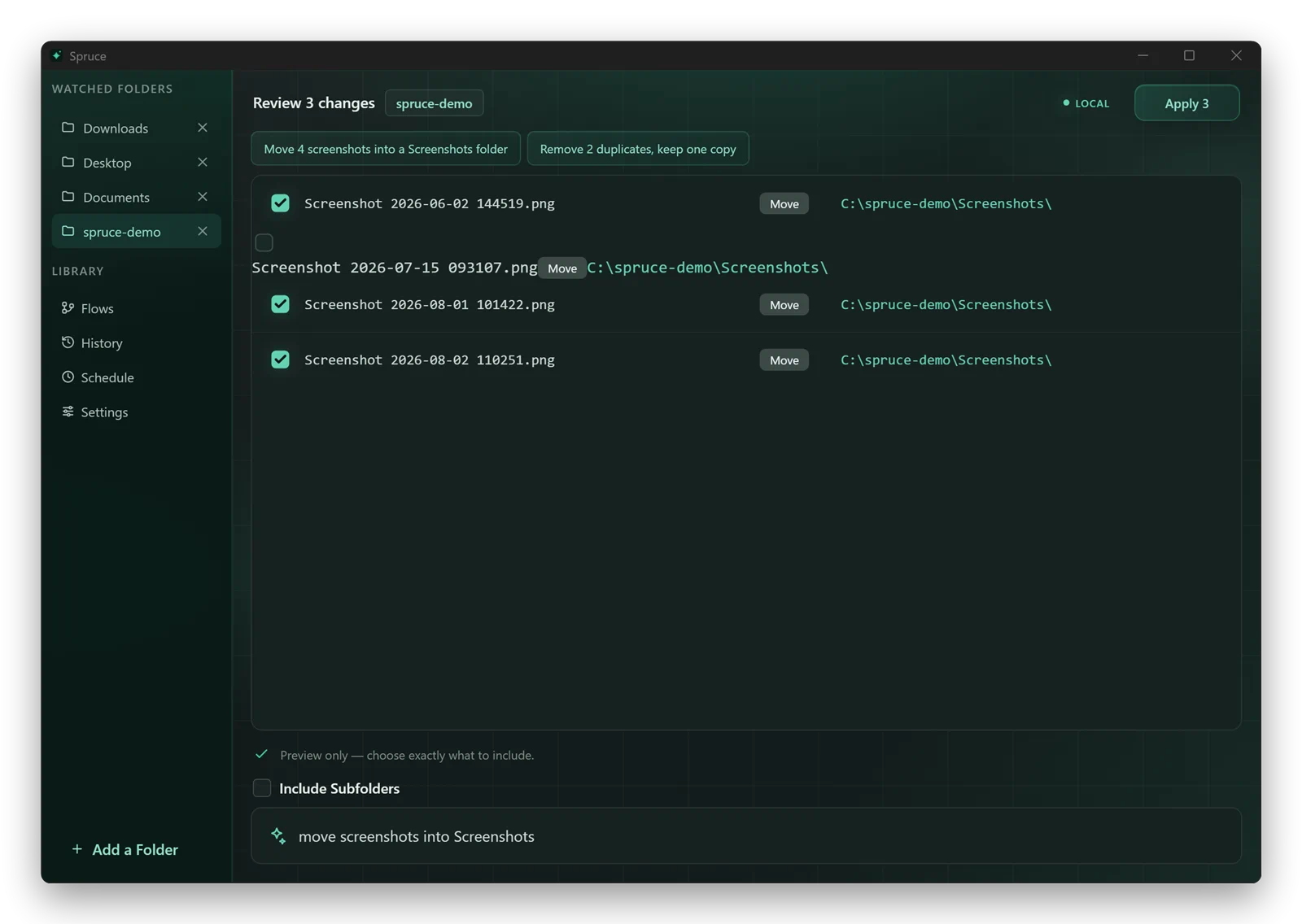
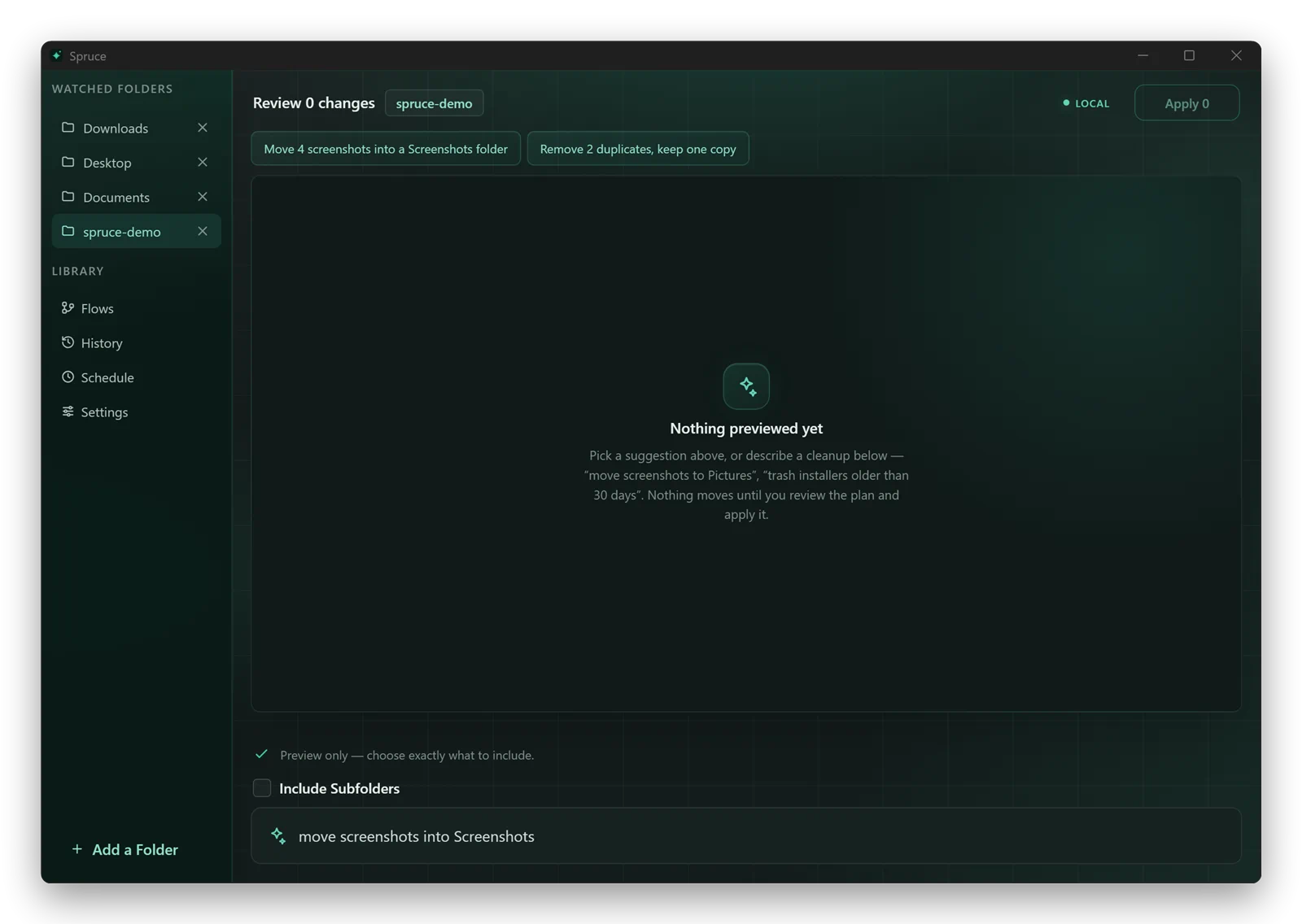
Type what you want — or approve one of Spruce's suggestions for screenshots, duplicates, or stale installers.

02

Preview

Every file and destination is listed before anything happens. Untick anything you would rather keep.

03

Apply

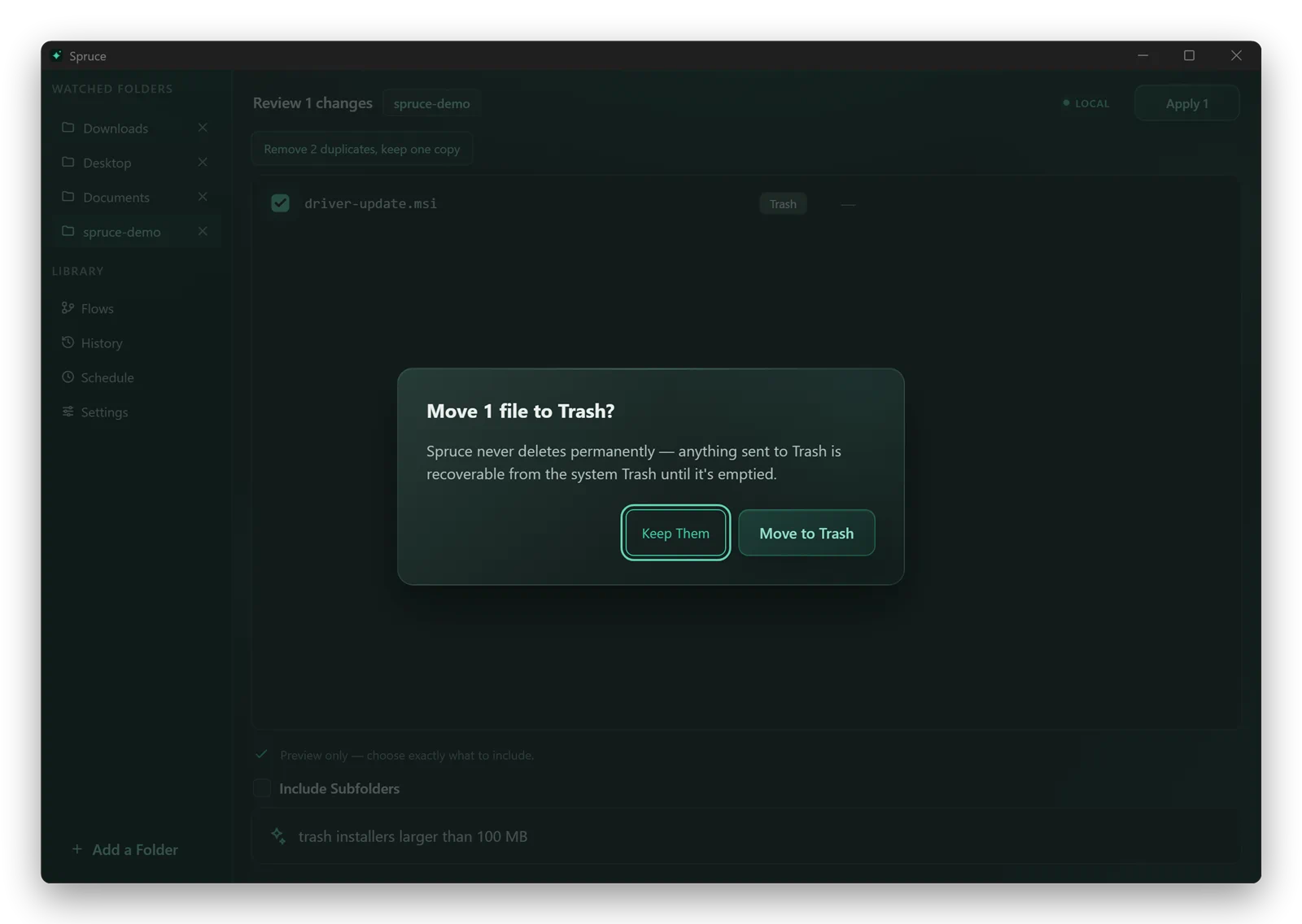
Moves, renames, and archives are done in seconds. Anything headed for the Trash or Recycle Bin asks first.

04

Undo

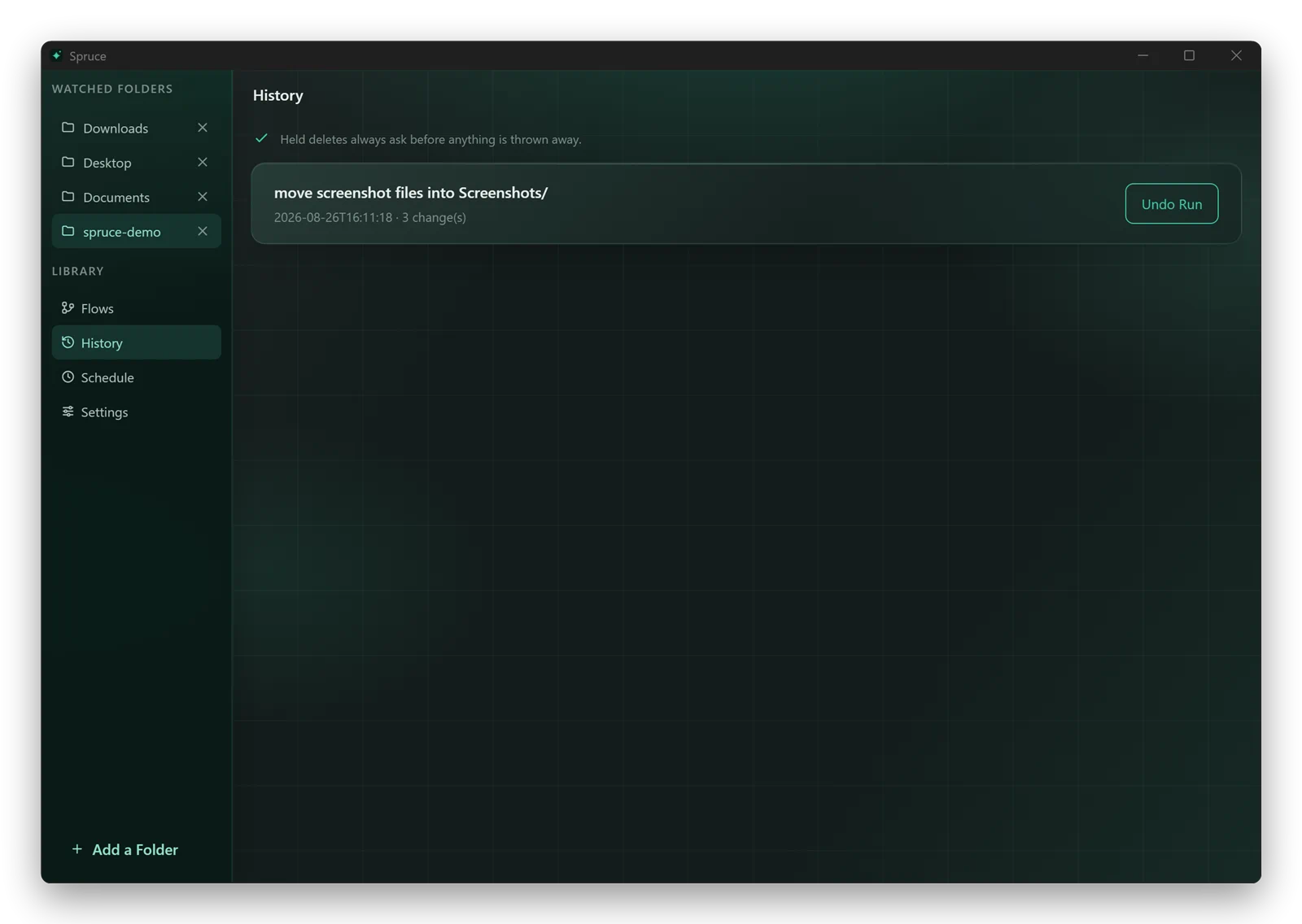
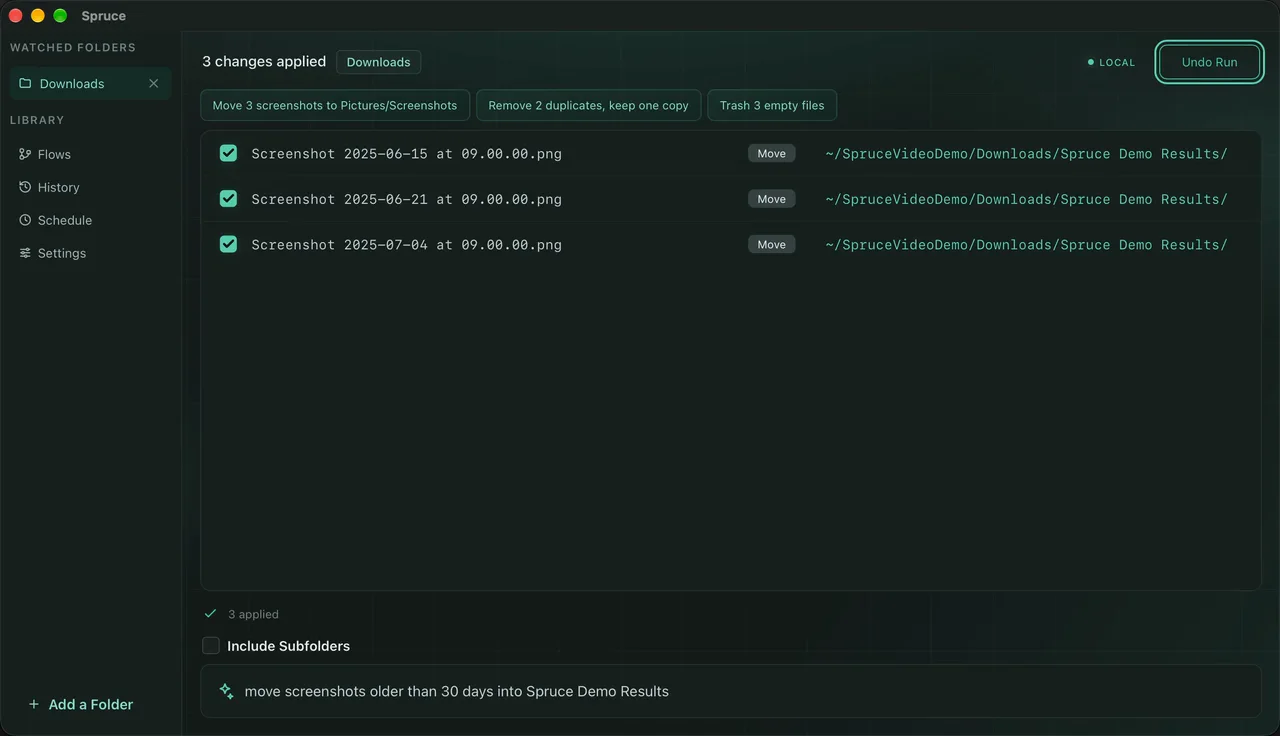
Each run is recorded in History, so you can walk back a whole cleanup whenever you change your mind.

Always reversible

Every run gets a receipt.

History records what changed, when it happened, and gives you a simple way to undo the whole run.

Spruce — History

Today

Everything with a way back.

3 runs

Moved

36

Space saved

2.4 GB

Undone

0

Screenshots archived12 files · 4 minutes agoUndo
Duplicate installers recycled3 files · YesterdayUndo

No leaps of faith

A run cannot skip the queue.

Spruce keeps one simple rhythm: describe the outcome, inspect the impact, then choose whether to apply it.

  1. 01

    Write it

    Use a sentence, a suggestion, or a saved flow.

  2. 02

    Inspect it

    Check the exact file list and destinations.

  3. 03

    Approve it

    Only then does Spruce make the change.